Your PDFs stay
on your Mac.
No upload, account or subscription. Compression works offline, directly on your computer.
GOBLIQ PDF COMPRESS
Make room without giving up control. Compress your PDFs, compare the quality, then save. Everything happens on your Mac.
Download for MacNot notarized by Apple — read installation notes ↗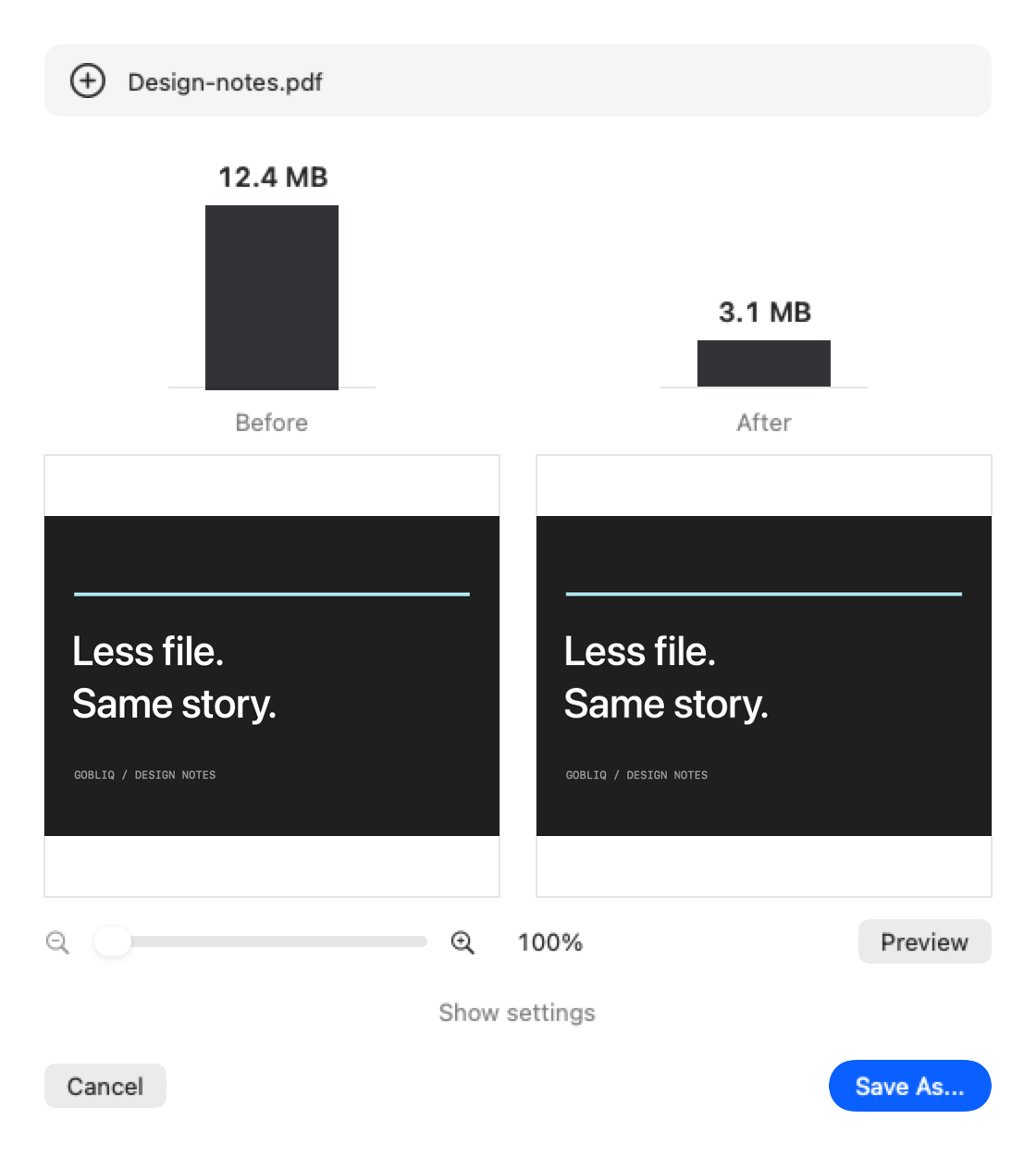
No upload, account or subscription. Compression works offline, directly on your computer.
Compare matching image details side by side. Zoom both previews together and open the full result to inspect every page.
Start with the defaults. Adjust JPEG quality, resolution, image width limits or page scale when you need a smaller file.
A SHORTER WORKFLOW
Compression starts automatically and creates a temporary result. Your original stays unchanged by default.
Inspect the preview. If needed, change the settings and click Apply to recompress from the original.
Keep a separate copy, or opt in to replacing the original in Settings.
No. Image-heavy PDFs often offer more room for compression. Files that are already optimized, mostly vector text, or contain unsupported image formats may change very little. The app shows the actual result rather than promising a fixed reduction.
Normal PDF text and vector graphics are not flattened into pictures. Lower JPEG quality and resolution can reduce image detail, including text in scanned pages. Always inspect the result before sharing it.
The width setting limits raster-image resolution without changing the physical size of the page. Scale reduces the page itself and its contents proportionally. Neither guarantees a smaller file.
This build is for Apple Silicon Macs (M1 and newer), not Intel or Windows. The app targets macOS 14 and later; full compatibility testing on macOS 14 is still pending for this preview release.
The interface is available in English, Russian, German, French and Spanish. English is the default.
There is no fixed input-file limit, but available memory and disk space still matter. Digitally signed PDFs are rejected because rewriting them would invalidate the signature. Some complex images are preserved without recompression.
Download the DMG, open it and drag Gobliq PDF Compress into Applications.
This release is not signed with an Apple Developer ID or notarized by Apple. macOS may block the first launch. If you trust this download, try opening the app, then use System Settings → Privacy & Security → Open Anyway. Do not disable macOS security protections globally.
Keep backups of important documents and check exported files. The previous PDF Compress settings are retained when upgrading.
GOBLIQ PDF COMPRESS
Free for your Apple Silicon Mac.